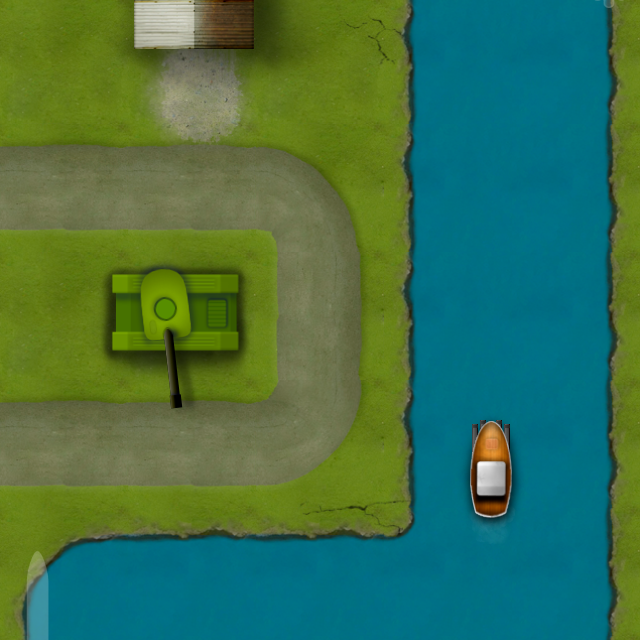
Devastro and Type Raiders now free

Devastro and Type Raiders are now completely free.

Mac versions now include their own private Java runtimes. This means that they will run fine on systems that don't have Java installed.

Windows versions are no longer available.

Big thanks to everyone who has purchased either of the games throughout the years. Sales have obviously gone down since the game had been released and I no longer feel the need to keep the purchase system working. It’s been fun.

Devastro updated to 1.9

After a long time I’m releasing a small update for Devastro.

What’s new in Devastro 1.9

  • The game is now completely free. Demo limits have been removed.
  • Mac version now includes its own Java runtime, which means it should run on any new Mac without the need to install Java separately.
  • Windows version is no longer supported. Sorry.
  • Updated the LWJGL library to 2.9.0 for improved compatibility and stability.
  • Enable crash reporter. Crash reports contain no personal information.

Type Raiders updated to 1.1

After a long time I’m releasing a small update for Type Raiders.

What’s new in Type Raiders 1.1

  • The game is now completely free. Demo limits have been removed.
  • Mac version now includes its own Java runtime, which means it should run on any new Mac without the need to install Java separately.
  • Windows version is no longer supported. Sorry.
  • Updated the LWJGL library to 2.9.0 for improved compatibility and stability.
  • Enable crash reporter. Crash reports contain no personal information.

Repro app updated to 1.1

My before-and-after iPhone camera app Repro has been updated to version 1.1.

The update brings support for iPhone 5 screen size, brand new iOS 7 UI and a new way to show the photo overlay. I'm very happy with it.

NLDatabase - Lightweight C++ wrapper for SQLite

Another piece of C++ code I wrote recently: a C++ wrapper for SQLite. Thanks to a few C++11 features I think it allows for really clean and concise code in many common cases. As part of the example code, I also wrote a basic schema migration function.

Get the source code here.

NLTemplate - HTML template library for C++

Don’t ask me why, but I needed a simple HTML template library for C++. I looked at a few of them, but there wasn’t a clear winner. Most were too heavyweight, hard to build or I didn’t like the syntax.

So I decided to write my own. How hard can it be?

NLTemplate is really simple. It comes in a single source file, has no extra dependencies and you can just drop it in your project and it will work. It does variable replacement, optional or repeatable blocks and file includes. You can define your own file loader to deal with path resolution and file I/O. To insert a variable, you write {{ variable }}, to define a block, you write {% block name %} and then end it with {% endblock %}.

Get the source code here.

Development tools 2012

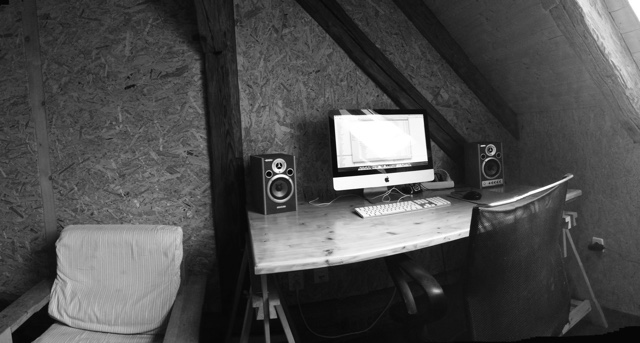
Six years and 2½ games later, this is what I'm using now for game development:

Hardware

  • iMac 21.5inch 2011 model with 32GB RAM
  • iPod touch 4th generation
  • iPhone 3GS

Software

  • Xcode
  • Adobe Photoshop
  • Pixelmator
  • Git

Libraries

  • C++ STL
  • RapidXML
  • Sarah Thompson's SigSlot
  • Boost

Tools

Out now: Repro camera app for iPhone

Today I'm releasing a small iOS application called Repro. It is not a game but I have enjoyed working on it and I'm having fun using it. Hope you will, too.

Repro

Repro

Overlay a picture in the camera viewfinder to take multiple perfectly aligned shots.

  • Take a picture with your camera or pick one from your photo library
  • Repro shows it as a transparent overlay in the viewfinder
  • Align your camera to match the overlay and take another picture that is just like the original!

Get it from the App store

With Repro you can:

  • Make before/after shots
  • Re-shoot postcards or old photos
  • Create picture-a-day series
  • Document progress of your work

Photos get saved to the camera roll so you can use your favourite apps for editing and sharing.

Enjoy!

Tempo, a PHP static site generator

I got tired of the constant Tumblr outages and keeping a Django site up and running seemed like too much work, so I made Tempo. Tempo is a small static site generator written in PHP. I use it for this site and will probably use it for some others in the future. It takes

  • A small PHP config file
  • Text files with a simple header
  • Source images of any size
  • PHP-based templates
and transforms them into a static html site. It can
  • Resize images to fit the specified page width
  • Create a blog archive listing page and an Atom feed
  • Skip "draft" posts (filenames that start with #)
  • ...not much else, really. Isn't that enough?
URLs are built like this:

about.txt becomes about.html blog-2011-10-10-blog post title.txt becomes blog/2011/10/10/blog-post-title.html etc.

For text formatting, just use HTML tags. URLs starting with http:// are automatically converted into links.

Get the source code here.

Simple tilemap collision mask editor

To try out pygame, I wrote a simple editor in it. It is nice to see what can be achieved with 100 lines of Python. I wouldn’t necessarily choose it to write an entire game, but for a simple interactive tool or a prototype, it is nice.

This simple editor opens a tileset image and lets you edit its collision mask. Use case: you have large graphical tiles but want them to have a more fine grained collision mask. For example, the graphical tiles are 128x128 but you want the collision mask to be 32x32.

Download TilemapMaskEdit.py (requires Python and pygame) Example tileset from Devastro: water01_128.png (do not use this asset without permission!)

To start it, run python TilemapMaskEdit.py water01_128.png. Draw the with left mouse button, erase with right, F2 = save to .txt. This would be water01_128.png.txt in the aforementioned example.

The output file format is very simple.

[0, 0, 0, 1, 1, 0, 0, 0, 0, 0, 0, 0, 0, 0, 0, 0]
[0, 0, 0, 1, 1, 0, 0, 0, 0, 0, 0, 0, 0, 0, 0, 0]
[0, 0, 1, 1, 1, 1, 0, 0, 0, 0, 0, 0, 0, 0, 0, 0]
[1, 1, 1, 1, 1, 1, 1, 1, 1, 1, 1, 1, 1, 0, 0, 0]
[1, 1, 1, 1, 1, 1, 1, 1, 1, 1, 1, 1, 1, 0, 0, 0]
[0, 0, 1, 1, 1, 1, 0, 0, 0, 0, 0, 0, 0, 0, 0, 0]
[0, 0, 0, 1, 1, 0, 0, 0, 0, 0, 0, 0, 0, 0, 0, 0]
[0, 0, 0, 1, 1, 0, 0, 0, 0, 0, 0, 0, 0, 0, 0, 0]
[0, 0, 0, 1, 1, 0, 0, 0, 0, 0, 0, 0, 0, 0, 0, 0]
[0, 0, 0, 1, 1, 0, 0, 0, 0, 1, 1, 0, 0, 0, 0, 0]
[0, 0, 0, 1, 1, 0, 0, 0, 0, 1, 1, 0, 0, 0, 0, 0]
[0, 0, 0, 1, 1, 0, 0, 0, 0, 0, 0, 0, 0, 0, 0, 0]
[0, 0, 0, 1, 1, 0, 0, 0, 0, 0, 0, 0, 0, 0, 0, 0]
[0, 0, 0, 0, 0, 0, 0, 0, 0, 0, 0, 0, 0, 0, 0, 0]
[0, 0, 0, 0, 0, 0, 0, 0, 0, 0, 0, 0, 0, 0, 0, 0]
[0, 0, 0, 0, 0, 0, 0, 0, 0, 0, 0, 1, 1, 0, 0, 0]