To try out pygame, I wrote a simple editor in it. It is nice to see what can be achieved with 100 lines of Python. I wouldn’t necessarily choose it to write an entire game, but for a simple interactive tool or a prototype, it is nice.
This simple editor opens a tileset image and lets you edit its collision mask. Use case: you have large graphical tiles but want them to have a more fine grained collision mask. For example, the graphical tiles are 128×128 but you want the collision mask to be 32×32.
Download TilemapMaskEdit.py (requires Python and pygame)
Example tileset from Devastro: water01_128.png (do not use this asset without permission!)
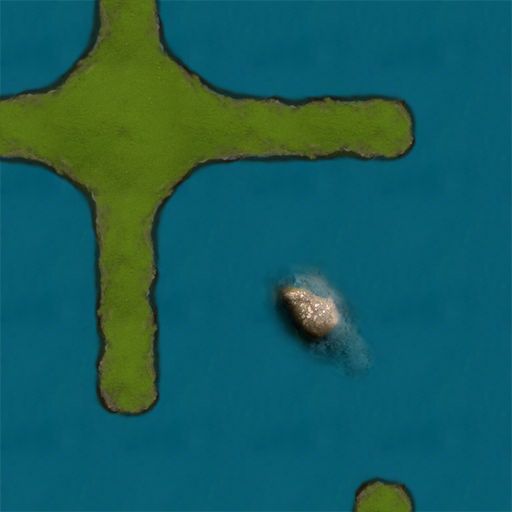
To start it, run python TilemapMaskEdit.py water01_128.png. Draw the with left mouse button, erase with right, F2 = save to .txt. This would be water01_128.png.txt in the aforementioned example.
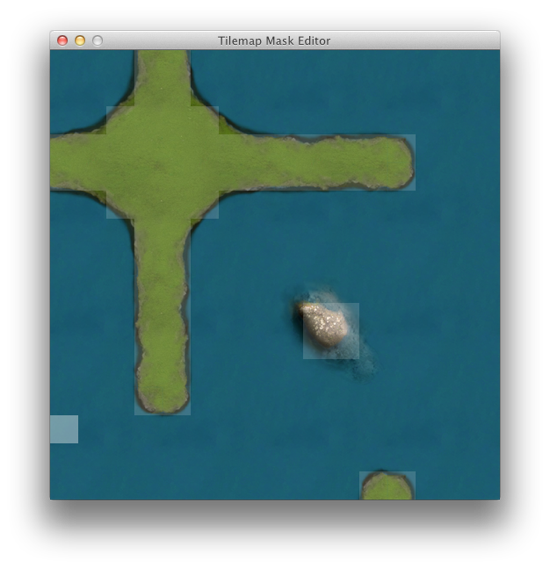
The output file format is very simple.
[0, 0, 0, 1, 1, 0, 0, 0, 0, 0, 0, 0, 0, 0, 0, 0]
[0, 0, 0, 1, 1, 0, 0, 0, 0, 0, 0, 0, 0, 0, 0, 0]
[0, 0, 1, 1, 1, 1, 0, 0, 0, 0, 0, 0, 0, 0, 0, 0]
[1, 1, 1, 1, 1, 1, 1, 1, 1, 1, 1, 1, 1, 0, 0, 0]
[1, 1, 1, 1, 1, 1, 1, 1, 1, 1, 1, 1, 1, 0, 0, 0]
[0, 0, 1, 1, 1, 1, 0, 0, 0, 0, 0, 0, 0, 0, 0, 0]
[0, 0, 0, 1, 1, 0, 0, 0, 0, 0, 0, 0, 0, 0, 0, 0]
[0, 0, 0, 1, 1, 0, 0, 0, 0, 0, 0, 0, 0, 0, 0, 0]
[0, 0, 0, 1, 1, 0, 0, 0, 0, 0, 0, 0, 0, 0, 0, 0]
[0, 0, 0, 1, 1, 0, 0, 0, 0, 1, 1, 0, 0, 0, 0, 0]
[0, 0, 0, 1, 1, 0, 0, 0, 0, 1, 1, 0, 0, 0, 0, 0]
[0, 0, 0, 1, 1, 0, 0, 0, 0, 0, 0, 0, 0, 0, 0, 0]
[0, 0, 0, 1, 1, 0, 0, 0, 0, 0, 0, 0, 0, 0, 0, 0]
[0, 0, 0, 0, 0, 0, 0, 0, 0, 0, 0, 0, 0, 0, 0, 0]
[0, 0, 0, 0, 0, 0, 0, 0, 0, 0, 0, 0, 0, 0, 0, 0]
[0, 0, 0, 0, 0, 0, 0, 0, 0, 0, 0, 1, 1, 0, 0, 0]